Draw less. Print sooner.
CAD in your browser for parts that have to fit.
- No card needed
- Runs in your browser
- €20 a month after the trial
A CAD tool that thinks like someone who prints
scrawl3d is a web-based CAD tool made for 3D printing: you import an STL or start from a shape, then add screw holes, heat-set inserts, connector cutouts, vents and hinges by right-clicking a face, or by typing what you want in plain words.
Most CAD programs are built for engineers drawing for a machine shop. scrawl3d starts from what you actually do with a 3D printer: you have a part that is nearly right, and it needs a hole for an M3 screw, a slot for a USB cable, a hinge, or 2 mm more height. Instead of sketching, constraining and extruding, you right-click the face and choose the feature, with the sizes already filled in for real hardware.
Every edit stays in the history, so you can change a hole from M3 to M4 later and everything after it follows. Your printer profile adds the right clearance to holes, checks the part fits on the bed, and exports it lying flat, ready for the slicer.
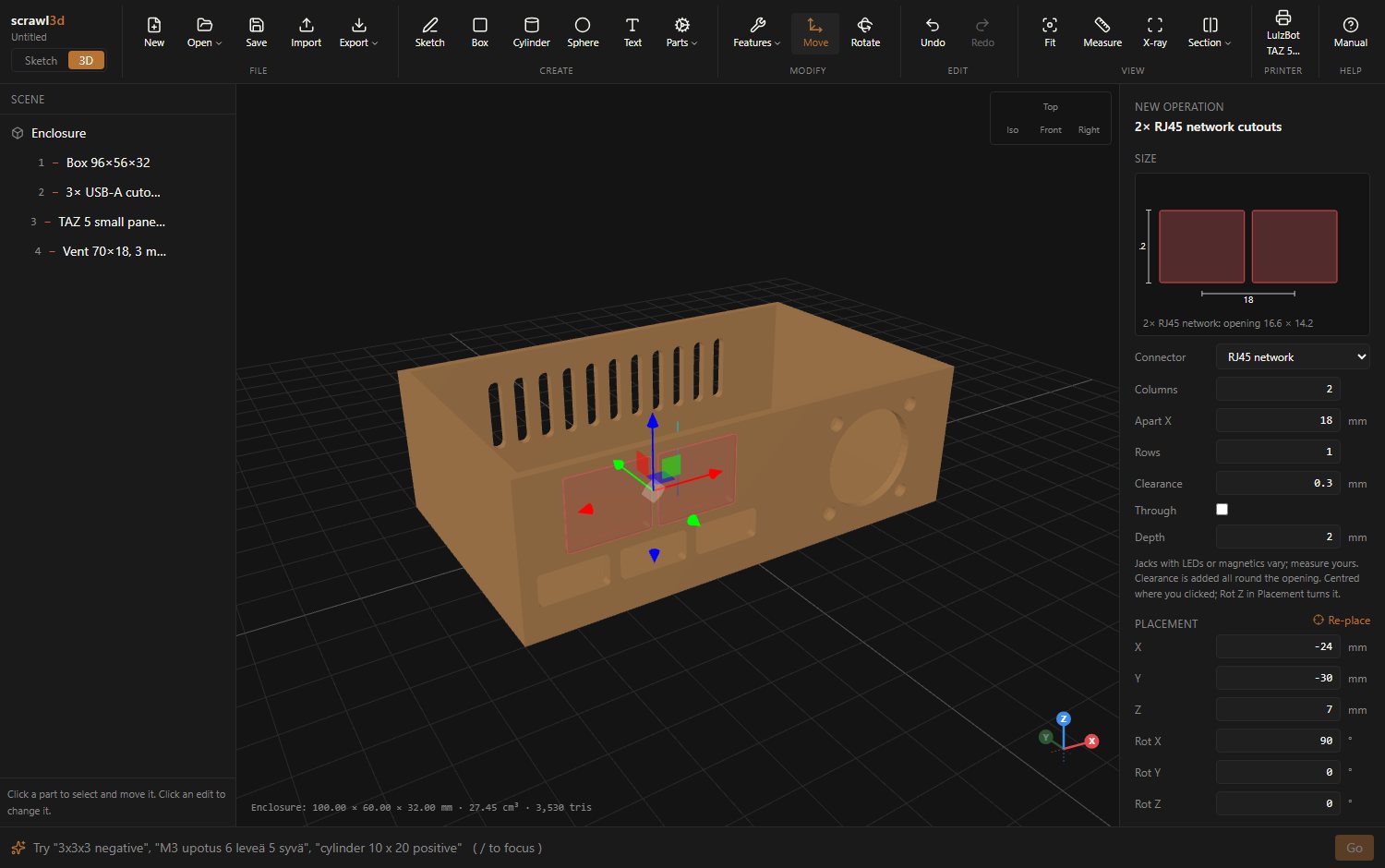
From a downloaded STL to a part that fits, in three steps
Start from a file or a shape
Import an STL you downloaded, or start from a box, a cylinder, a sketch or a part from the library: gears, drives, hinges.
Right-click a face, pick a feature
Screw holes, inserts, bearing seats, connector cutouts, vents, text. A drawing to scale in the side panel shows exactly what you will get.
Export flat on the bed
One part, a laid-out print plate or the whole assembly as STL, sized for your printer, with hole compensation already applied.
Watch Claude build it
Connect Claude to scrawl3d with one sign-in, and ask for a part. It works in your open tab while you watch: sketches, parts, features, all as ordinary steps you can change or undo with Ctrl+Z. This plane took eleven of them.
Parts library
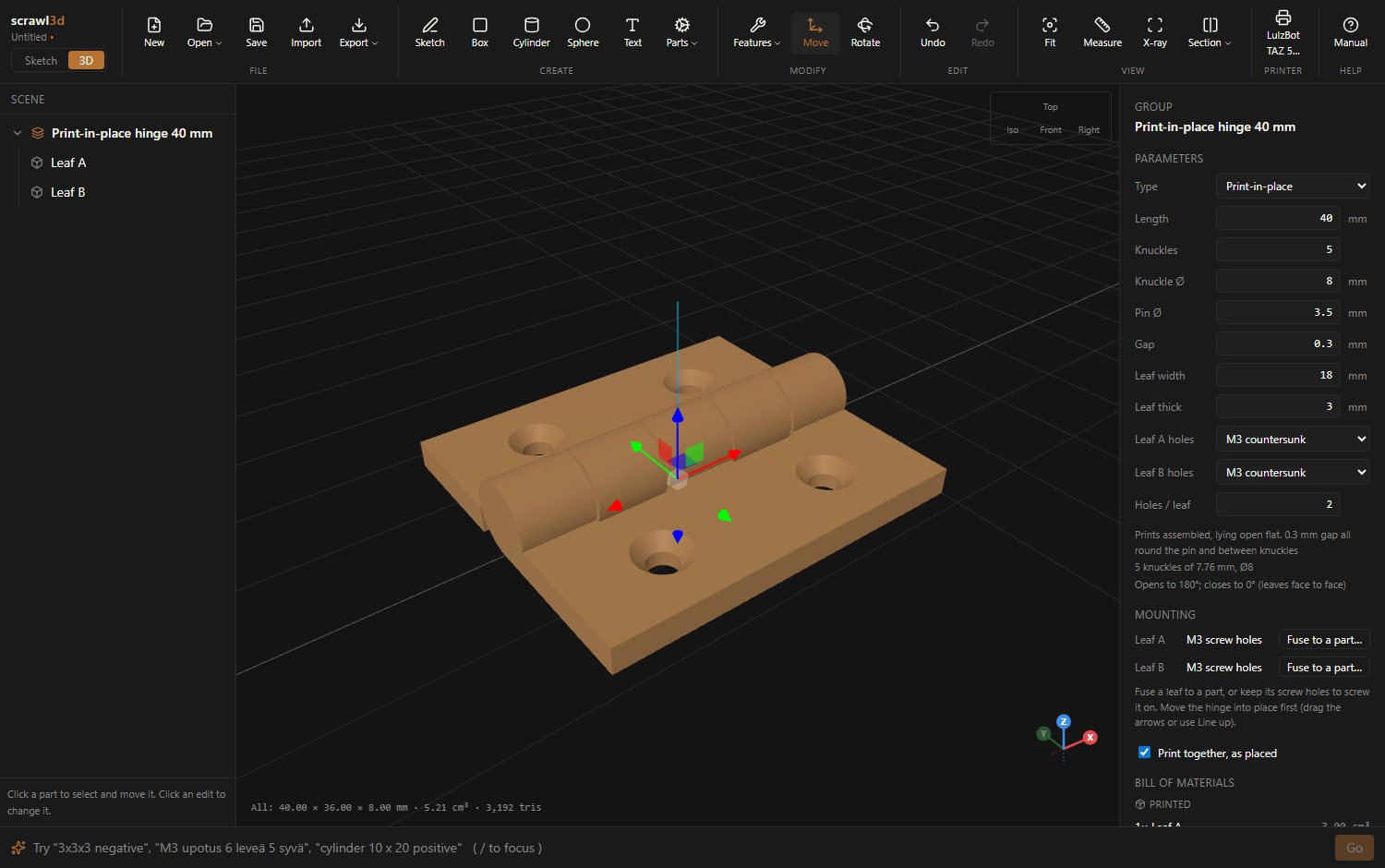
Hinges that print already assembled
Add a print-in-place hinge with a gap tuned to your printer, or a pin hinge for an M3 screw. Screw each leaf on with countersunk holes, or fuse it straight into your lid and box so the whole thing comes off the bed as one moving part.
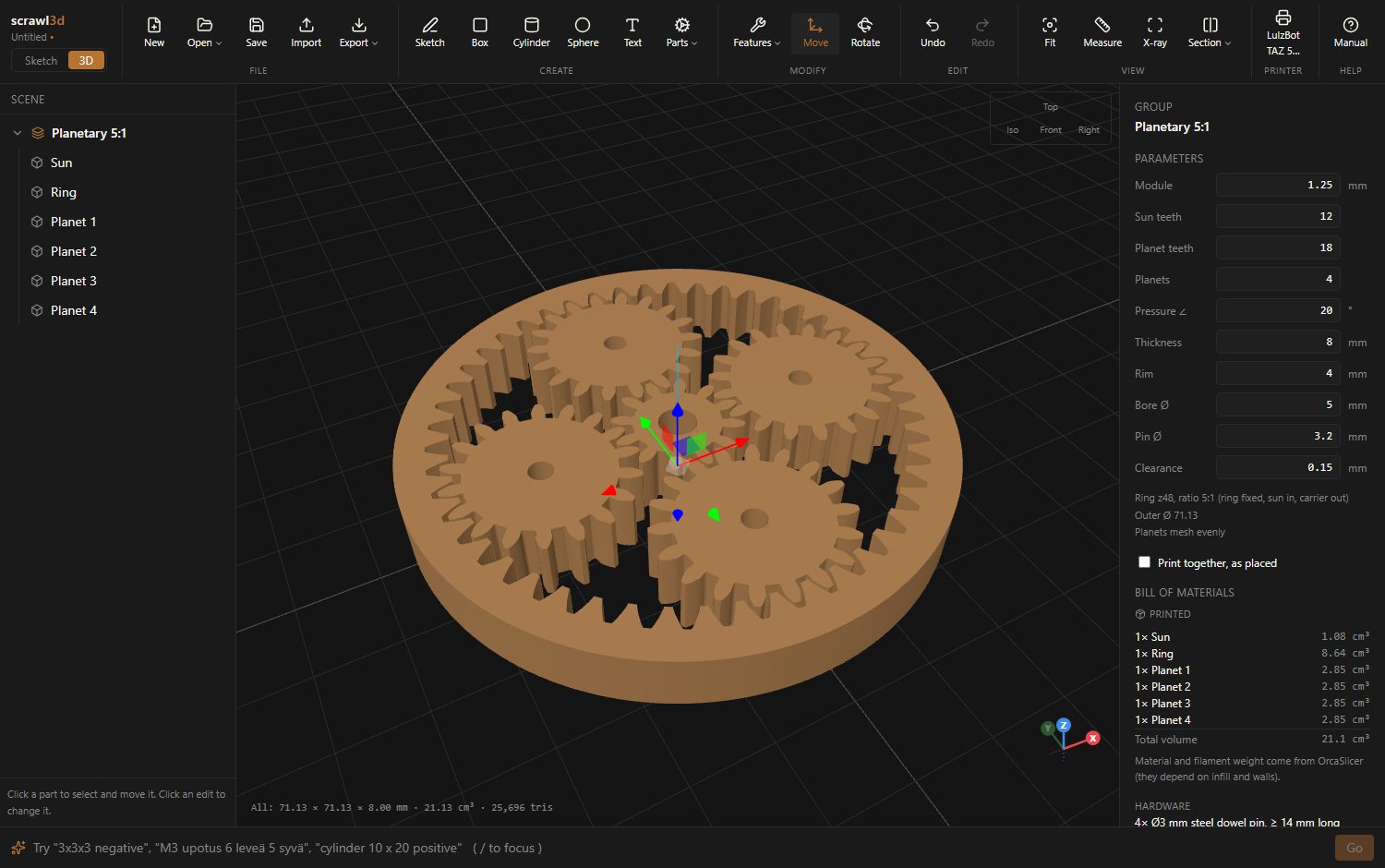
Gears and drives from a few numbers
Spur, helical, herringbone and bevel gears, racks, planetary gearsets and cycloidal drives. Change the module or the tooth count and every part updates; the bill of materials lists the pins, bearings and motor the design needs, and warns when planets would collide.
€20 / month
One plan with every feature: up to 3 people, cloud projects and a Claude (MCP) connection. Try it free for 14 days.
See pricingQuestions people ask about scrawl3d
Do I need to install anything?
No. scrawl3d runs in a modern desktop browser. The geometry is built on your own computer, inside the browser, and your projects are saved to the cloud so you can open them from anywhere you sign in.
Which files can I open and export?
You can import STL files, for example models from Printables or Thingiverse, edit them, and export STL: a single part laid flat on the bed, a whole print plate, or an assembly as it sits. Projects are saved in scrawl3d’s own format with every edit kept, so you can change a hole size long after you made it.
Does it work with my 3D printer?
Yes. scrawl3d makes standard STL files for any slicer and any FDM printer. You set your printer’s bed size, nozzle and hole compensation once; a printable fit test measures how much your printer shrinks holes, so screws and bearings fit the first time.
Can AI design with it?
Yes. Connect Claude (claude.ai, Claude Desktop or Claude Code) to scrawl3d over MCP with one sign-in, and it builds and changes models in your open tab while you watch: parts, sketches, lofts, cuts, holes, fillets, colours. Every step it takes can be undone. Claude runs on your own Claude plan; scrawl3d charges nothing extra for it. The command bar also takes quick commands such as “M3 countersink 6 deep”, “608” or “rotate 90”.
Where is my data stored?
In the European Union: project data in Frankfurt, files in Stockholm. Accounts support two-step sign-in with an authenticator app or a security key such as a YubiKey. scrawl3d is made by Poro-IT OÜ, a company in Tallinn, Estonia.
How much does it cost?
Basic is €20 a month for an organization of up to 3 people and includes every feature. Every new account starts with a 14-day free trial, no card needed.